





Racing
Bablo Advanced HUD is an all-in-one FiveM HUD with a full in-game Edit Mode, 7 speedometers, 19 status designs, integrated stress system, cinematic mode and more — fully customizable per player and compatible with QBCore, ESX, Qbox and standalone.
All 18 Status Icon Designs
Full showcase of every status icon design included: v1, v2, v3, v4, v5, v6, v8, v9, v10, v11, v12, v13, v15, Aura, Hex-Fill, Hex-Border, Hex-Bar,, and Wave. Each design can be fully color-customized per status (Health, Armor, Hunger, Thirst, Stamina, Oxygen, Stress), and each individual status can be toggled on/off or set to auto-hide at full value.
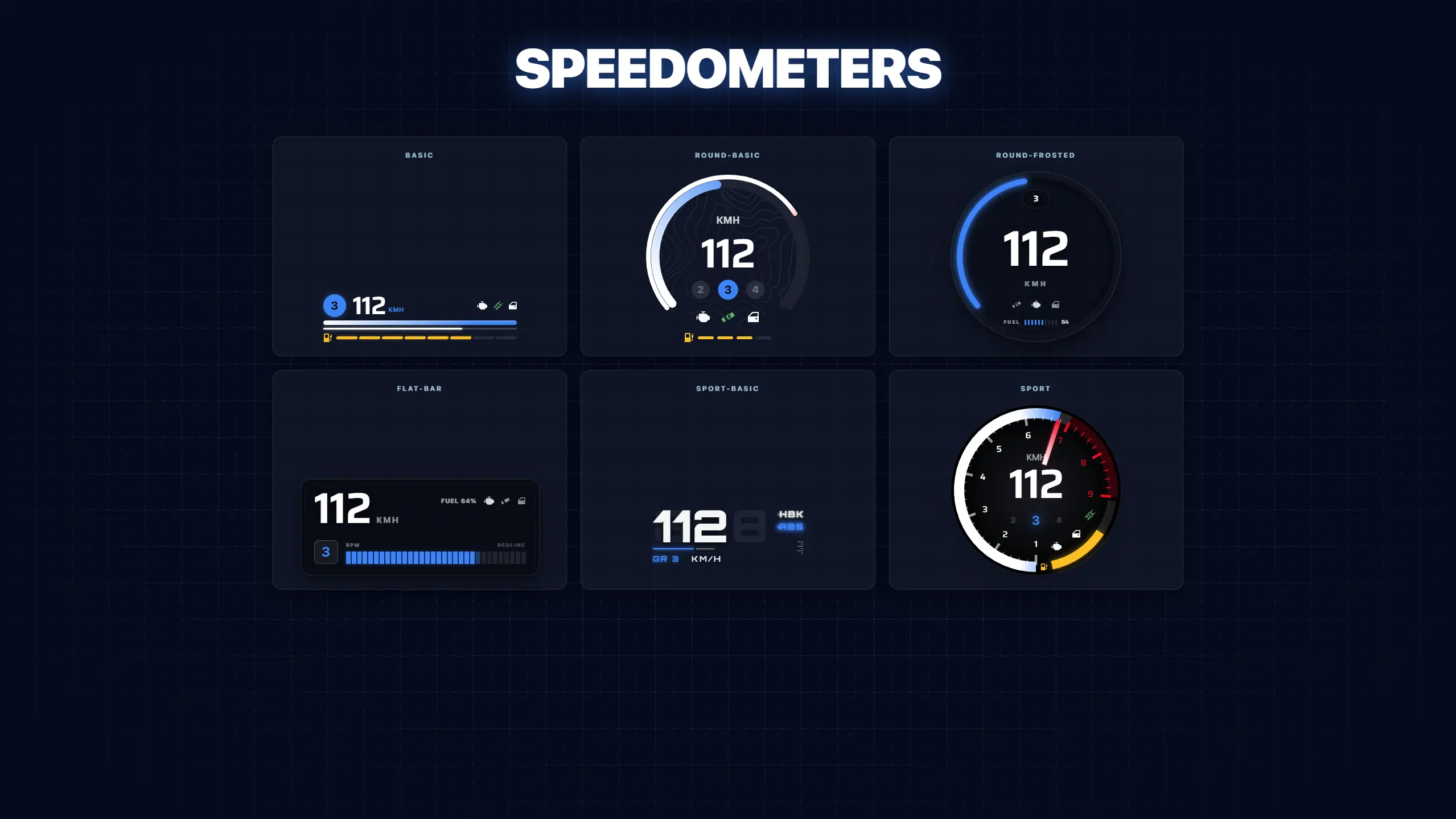
All 7 Speedometer Designs
Full showcase of every speedometer design that ships with the HUD:
Basic, Round Basic, Round Frosted, Flat Bar, Sport Basic, and Sport (plus a dedicated Helicopter HUD not shown here). All speedometers support KM/H or MPH, highlight color customization, and the standard indicators (RPM, gear, fuel, engine health, seatbelt, headlights, doors, locks).
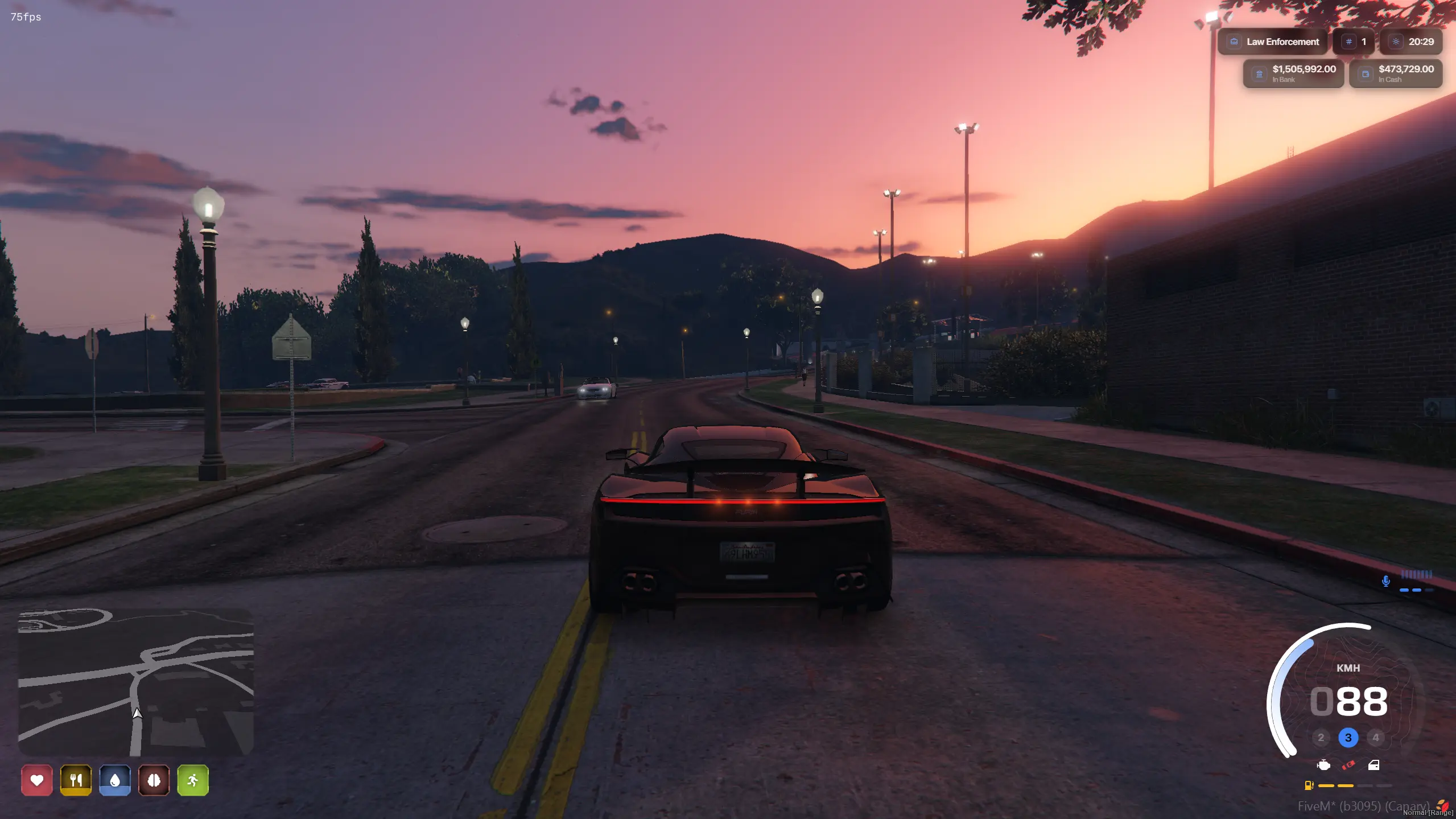
Styling Combo #1 - Round Frosted + Colored Status Icons
In-vehicle showcase demonstrating one way to style the HUD. This combo pairs the "Round Frosted" speedometer (bottom-right) with a colored status icon set and the square minimap. Example loadout for servers that want a clean, modern, slightly glassy look.
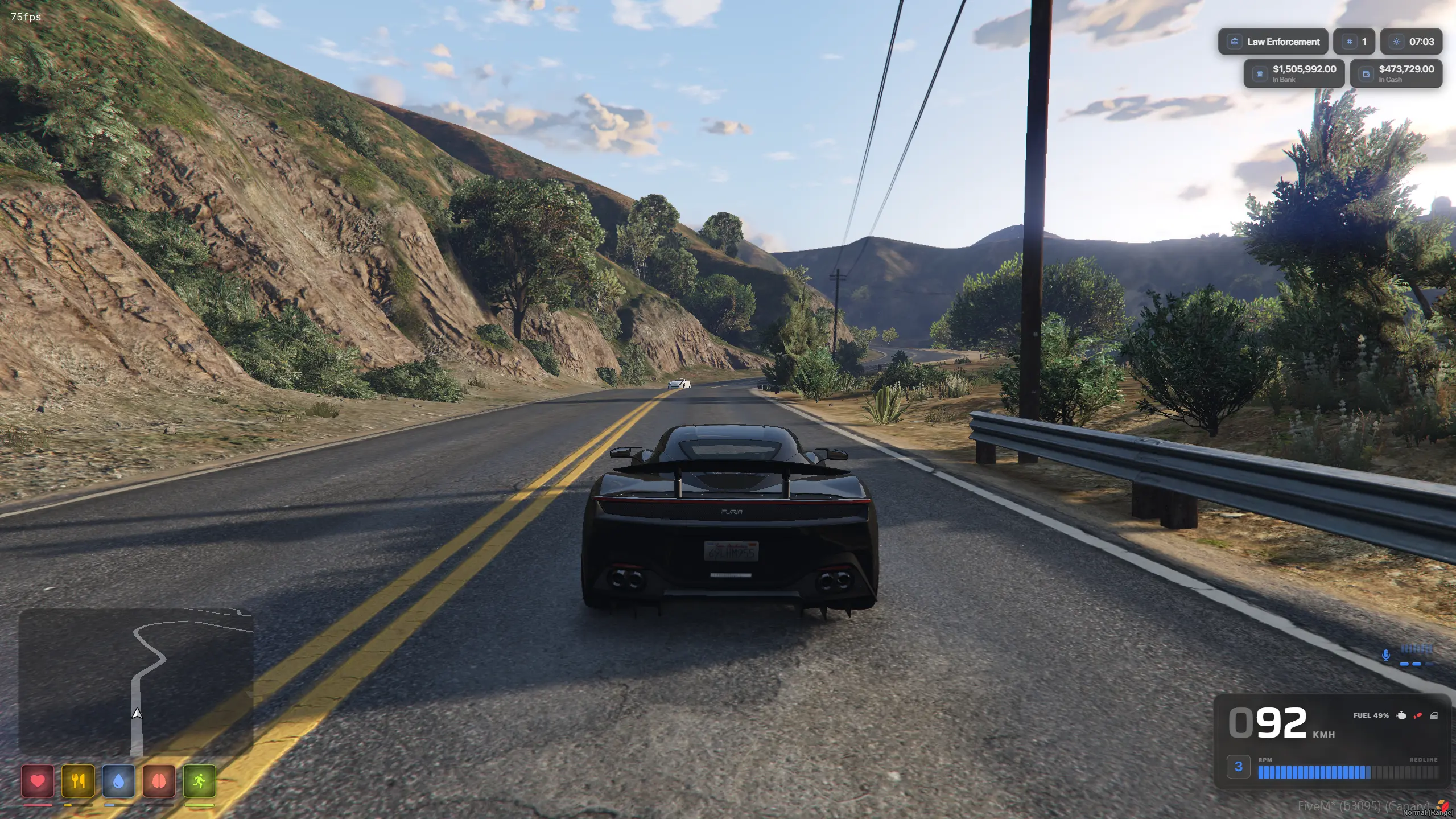
Styling Combo #2 - Flat Bar + Minimal Status Icons
A different in-vehicle combo. The "Flat Bar" speedometer (bottom-right) is paired with a minimal status icon row stacked under the minimap. Shows how drastically the HUD can change character just by swapping designs — the same HUD can feel like a different product entirely.
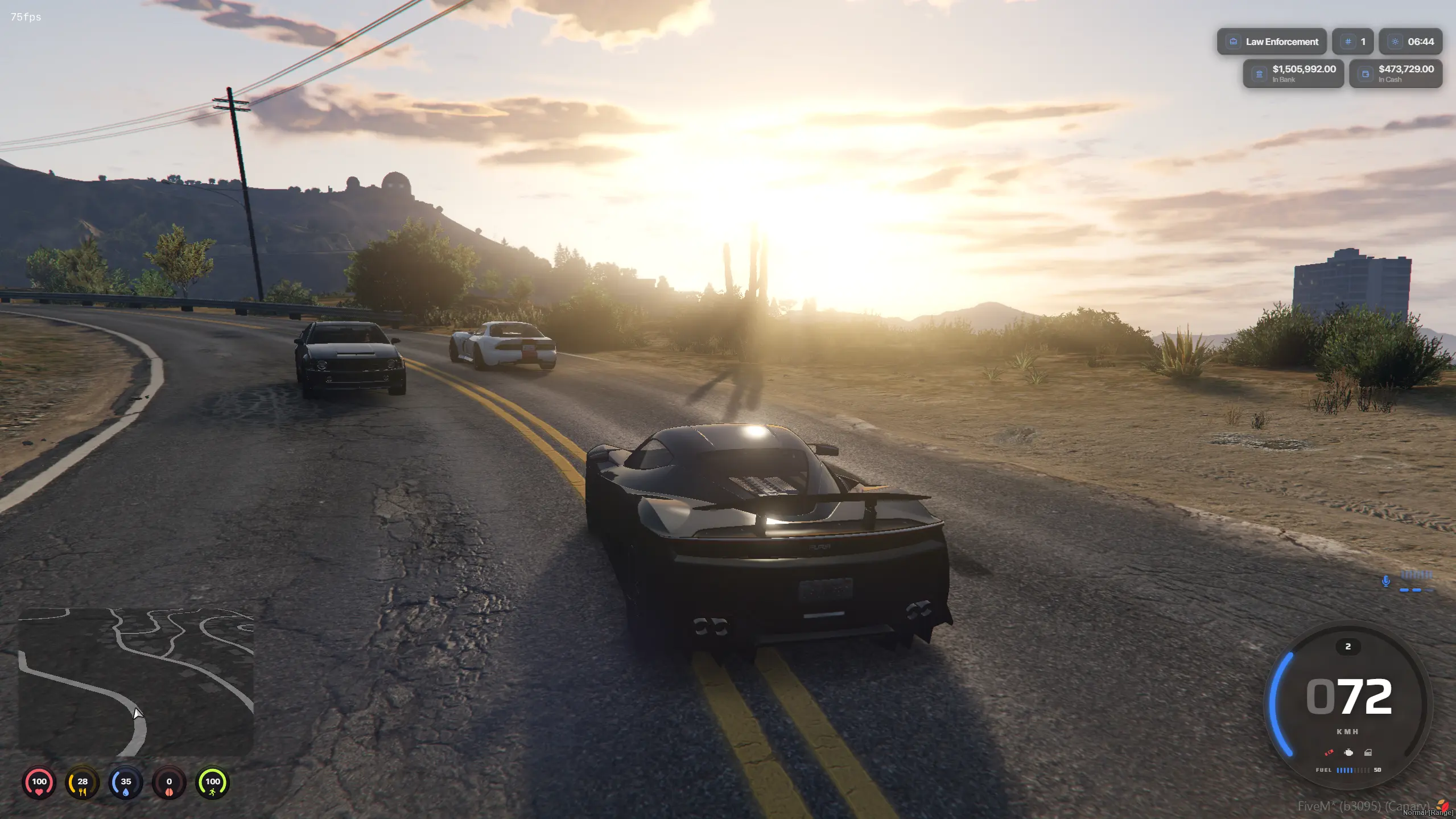
Styling Combo #3 - Round Basic + Compact Status Row
A third styling example, this time during a police chase. Uses the "Round Basic" speedometer (bottom-right) with its blue highlight ring and a compact status icon row under the square minimap. Demonstrates the per-status color customization via the built-in HSL picker.
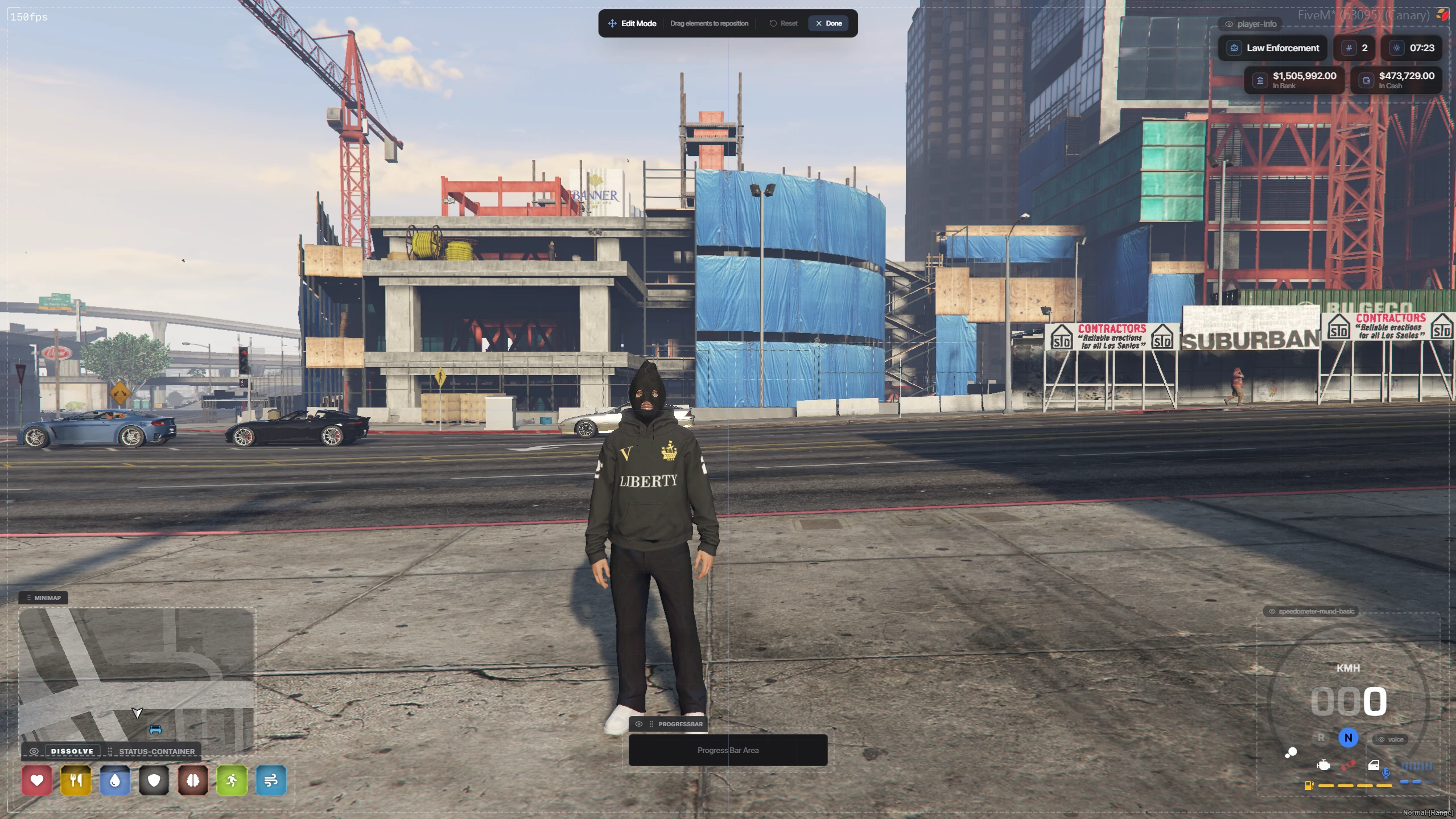
Full In-Game Edit Mode
Shows the HUD in its built-in Edit Mode while the player is on foot in the city. The "Edit Mode" banner is pinned to the top of the screen and every component becomes draggable and resizable — the square minimap, status icons, player info panel, and speedometer can all be repositioned live and saved per-player. This is the feature that lets every player design their own layout without leaving the game.
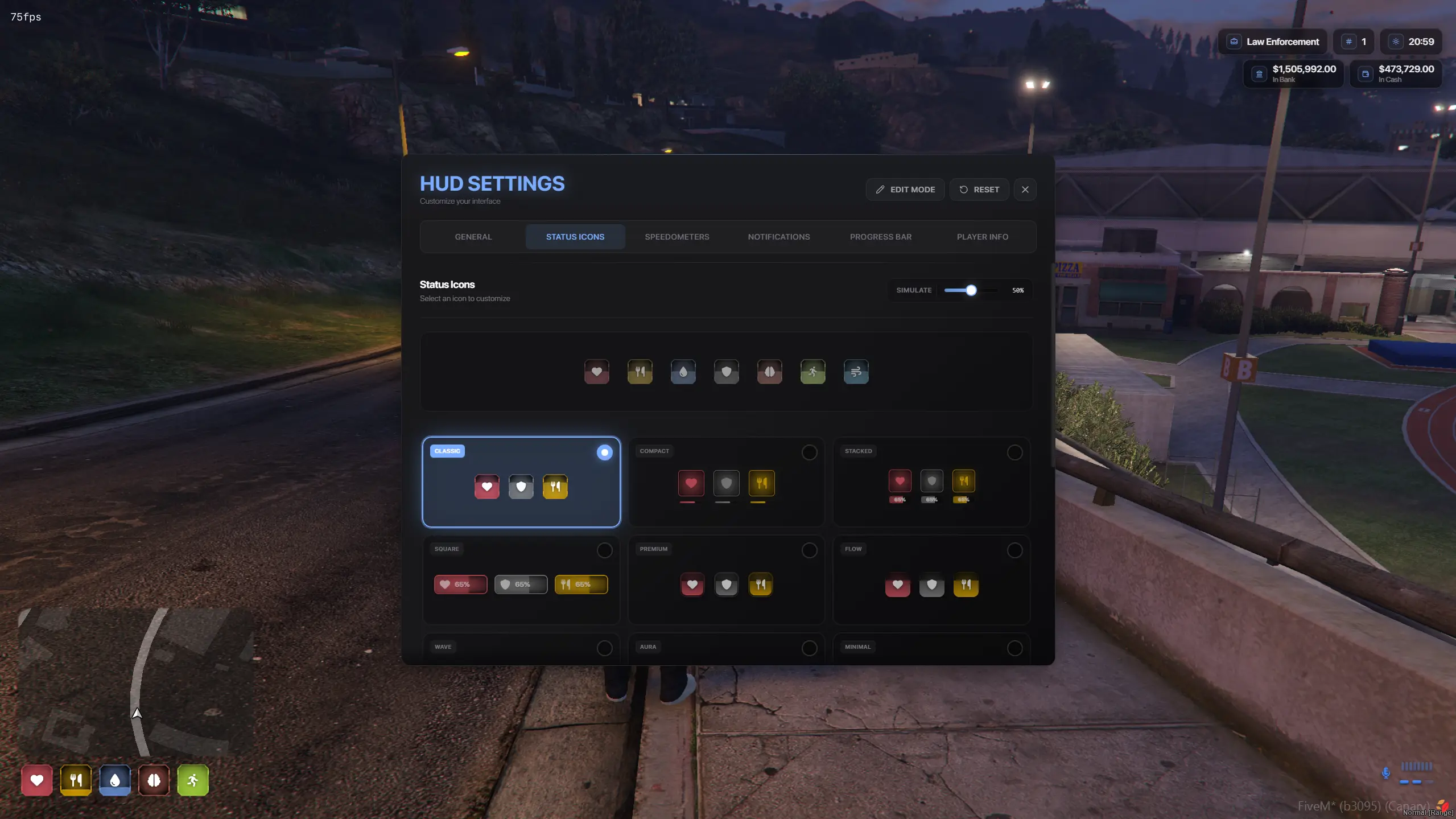
HUD Settings Menu - Status Icon Picker
The in-game HUD Settings panel open on the "Status Icons" tab. Players can browse the full library of status icon designs, preview each one live, and switch instantly. The currently selected design is highlighted in blue. All selections are saved per-player via KVP, and admins can lock the section from config to enforce a server-wide style.
